
If you are an Apple user, your AirPods are likely an essential part of your daily routine. Whether you are commuting, working out, or taking back-to-back conference calls, nothing is more frustrating than reaching for your case only to find it dead. If you’ve ever wondered, “How long does it take to charge an AirPods case?” you aren’t alone.
In this guide, we break down the charging times for the latest 2026 Apple ecosystem, helping you understand the difference between wired and wireless charging speeds so you can keep your audio experience uninterrupted.
Wired vs. Wireless: The Charging Speed Breakdown
The method you choose to power up your device significantly impacts the wait time. While Apple has refined its battery technology over the years, the fundamental physics of charging remains consistent across the AirPods, AirPods Pro, and AirPods Max lineups.
Charging via Lightning or USB-C Cable
For the fastest results, plugging in remains the gold standard. When you use a charging cable (Lightning or USB-C, depending on your model) connected to a wall adapter, your AirPods case will typically go from 0% to 100% in approximately one hour.
This method is ideal for those moments when you are in a rush and need a quick boost before heading out the door. Because wired charging supports more efficient power delivery, you get the maximum energy transfer without the heat dissipation often associated with wireless induction.
Charging via Wireless (Qi or MagSafe)
Wireless charging is undeniably convenient—simply dropping your case onto a mat is a seamless experience. However, it comes at the cost of speed. Using a Qi-certified charging mat or a MagSafe charger, it generally takes about one hour and 30 minutes to achieve a full charge.
This is roughly 30 minutes longer than the wired method. While wireless charging is perfect for overnight charging or keeping your desk tidy, it is important to remember that it does not currently support the same “fast charging” protocols as a direct cable connection.
How to Properly Charge Your AirPods Case
To ensure your case charges as efficiently as possible, you need to follow Apple’s recommended best practices. Improper placement can lead to slower charging or, in some cases, the device not charging at all.
- Placement: Place your case on the charging mat with the status light facing up.
- Lid Status: Ensure the lid is closed throughout the process.
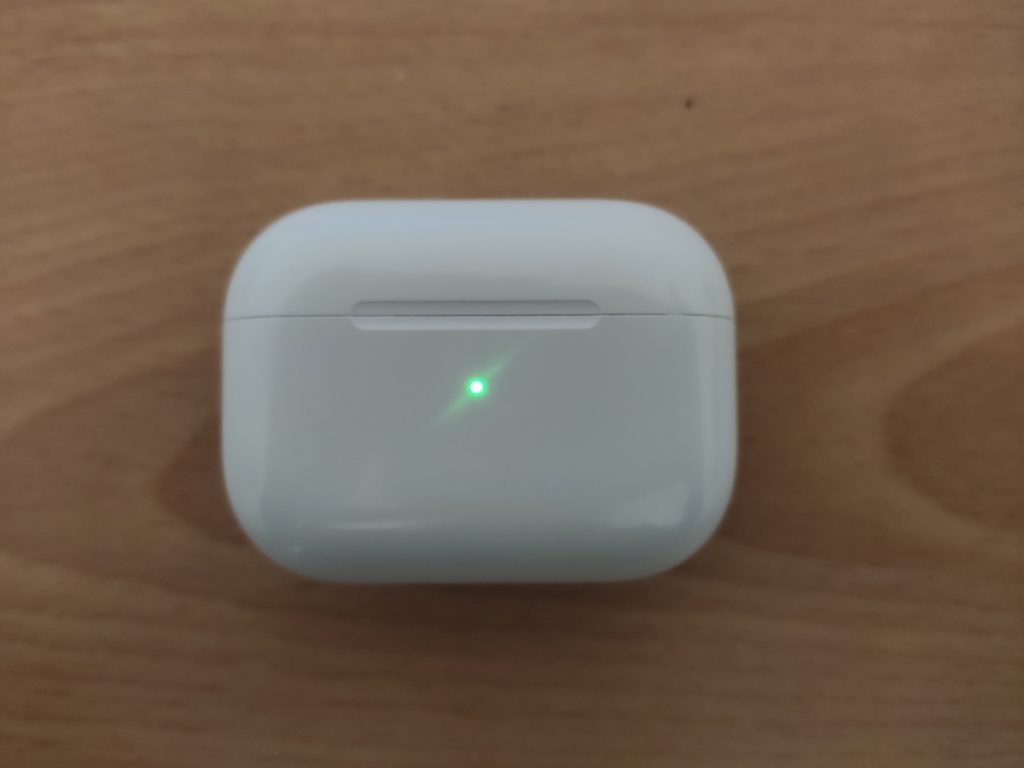
- Verification: The status light should glow for about 8 seconds to indicate that a connection has been made and the charging process has begun.
![How Long Do Airpods Case Take To Charge [2022 Guide] – MusicCritic](https://musiccritic.com/wp/wp-content/uploads/2020/06/Charging-airpods-on-the-case.jpeg)
Pro-Tips for Optimizing Battery Health in 2026
Knowing how long it takes to charge is only half the battle. Maintaining the long-term health of your AirPods battery is crucial for ensuring your device lasts for years.
- Avoid Extreme Temperatures: Charging your case in direct sunlight or a freezing car can degrade the lithium-ion battery. Always charge at room temperature.
- Use Optimized Battery Charging: Your iPhone learns your daily charging routine. By keeping this feature enabled in your Bluetooth settings, your AirPods will wait to finish charging past 80% until just before you typically use them.
- Don’t Over-Drain: Try to avoid letting your case hit 0% consistently. Lithium-ion batteries perform best when they are kept between 20% and 80%.
![How Long Do Airpods Case Take To Charge [2022 Guide] – MusicCritic](https://musiccritic.com/wp/wp-content/uploads/2022/06/Apple-airpod-case-charging.jpeg)
Frequently Asked Questions
Can I charge my AirPods case with a fast-charging MacBook adapter?
Yes, you can safely use higher-wattage USB-C chargers (like those for MacBook Pro) to charge your AirPods case. The case will only draw the amount of power it is designed to handle, so it won’t damage your device.
Why is my AirPods case charging so slowly?
If your case is taking significantly longer than an hour (wired) or 90 minutes (wireless), ensure your charging port is free of debris. Lint or dust inside the port can prevent a solid connection. Additionally, ensure your wireless charging pad is properly aligned, as even a slight shift can significantly reduce charging efficiency.
Does the case charge the AirPods faster than the wall charger?
No, the case acts as a battery reservoir. The wall charger charges the case, and the case then transfers power to the earbuds. The “fast charge” feature for the earbuds themselves (giving you hours of listening time from just a few minutes in the case) is independent of how the case is being charged.
Conclusion
Understanding the charging dynamics of your AirPods is key to staying powered up throughout your busy week. To summarize: plugging in with a cable takes about one hour, while wireless charging takes about 90 minutes.
By choosing the right method for your current schedule—wired for speed, wireless for convenience—you can ensure your AirPods are always ready to go. Keep these tips in mind as you navigate your audio experience in 2026, and you will get the most out of your Apple hardware for years to come.