
In the fast-paced world of 2026, waiting hours for your smartphone to reach 100% is a relic of the past. Whether you are rushing to a meeting or heading out for a night on the town, knowing exactly how long it takes to power up your device is essential. But how long does it take to charge an iPhone with a fast charger? The answer has evolved significantly with the latest iPhone 17 lineup.
While the “50% in 30 minutes” rule has been the industry standard for years, Apple’s latest hardware has pushed the boundaries of efficiency even further. In this guide, we will break down the charging speeds for the latest models and help you understand how to optimize your charging routine.
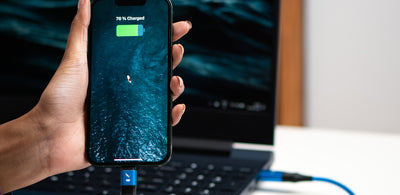
The 2026 Standard: Fast Charging Speeds Explained
If you are using a modern iPhone, “fast charging” is no longer just a luxury—it is a core feature. However, the speed you experience depends heavily on the specific model you own and the wattage of the power adapter you are using.
iPhone 17, 17 Pro, and 17 Pro Max
The flagship models of 2026 have received a massive boost in charging capability. If you are using a 40W adapter or higher, these devices can reach 50% battery in just 20 minutes. This is a significant leap forward, allowing users to top up their devices during a quick coffee break.
iPhone 17e and iPhone Air
For those utilizing the more streamlined iPhone 17e or the ultra-thin iPhone Air, the standard remains highly efficient. These models support fast charging up to 50% in 30 minutes when paired with a 20W adapter or higher. While not as aggressive as the Pro models, it remains incredibly reliable for daily use.

The Charging Curve: Why 0-50% is Faster Than 50-100%
A common frustration for users is noticing that their phone charges quickly at first but seems to “stall” as it nears full capacity. This is not a malfunction; it is a safety feature managed by your iPhone’s power management system.
- The Rapid Phase (0–50%): During this stage, your iPhone accepts the maximum wattage the battery can safely handle. This is why you see that impressive 20-to-30-minute jump.
- The Trickle Phase (50–100%): Once the battery hits 50–80%, the system automatically slows down the intake of power. This prevents the battery from overheating and preserves its long-term health.
If you are wondering how long it takes to charge an iPhone from 50% to 100%, expect about 40–50 minutes more after the initial fast-charge phase. Total time from empty to full typically lands between 70 and 90 minutes, depending on the model and environmental temperature.
Essential Gear for Maximum Speed
To achieve these advertised charging times, you cannot simply use any old cable or brick from your junk drawer. Your hardware must be compatible with the USB-C Power Delivery (PD) standard.
- The Right Adapter: For the best results in 2026, we recommend investing in a GaN (Gallium Nitride) charger. These are smaller, more efficient, and run cooler than traditional silicon chargers.
- Certified Cables: Always use an MFi-certified USB-C to Lightning or USB-C to USB-C cable. Cheap, uncertified cables often fail to negotiate the necessary power handshake, leaving you stuck with standard, slow charging speeds.
- Wattage Matters: While a 20W charger is the baseline, using a 40W or 60W GaN charger ensures you are future-proofed and capable of hitting those 20-minute benchmarks for the iPhone 17 Pro series.
<img alt="How Long Does It Take to Charge an iPhone? A Fast Charging Guide" src="https://cdn.shopify.com/s/files/1/1812/3983/files/maxlifestyle2_1024x1024.png?v=1718268069″ style=”max-width:100%; height:auto; border-radius:8px; margin: 1rem 0;” />
Tips to Optimize Your Charging Routine
Beyond the charger itself, small habits can impact your charging efficiency:
- Remove the Case: If your phone feels hot while charging, take off the case. Excessive heat forces the iPhone to throttle charging speeds to protect the battery chemistry.
- Avoid Extreme Temperatures: Charging in direct sunlight or in a freezing car will significantly degrade the speed and long-term health of your battery.
- Turn on “Optimized Battery Charging”: Found in your Settings, this feature learns your daily routine to ensure your phone finishes its final charge just as you wake up, reducing the amount of time it spends sitting at 100%.
Conclusion
In 2026, the question “how long does it take to charge an iPhone with a fast charger” has a much more impressive answer than it did just a few years ago. With the ability to hit 50% in as little as 20 minutes for Pro models, the “low battery” anxiety is quickly becoming a thing of the past.
By using the correct 40W+ GaN adapter and maintaining a healthy charging environment, you can ensure your iPhone stays powered up and ready for whatever your day demands. Remember, while speed is important, taking care of your battery through smart charging habits is the best way to keep your device performing at its peak for years to come.